
Hulu for Android TV
DisneyEntertainment
2.52.96K Reviews
- Version
- C59F39CFP3.10.33
- Installs
- 10.00M
- Age Rating
- Teen
Screenshots
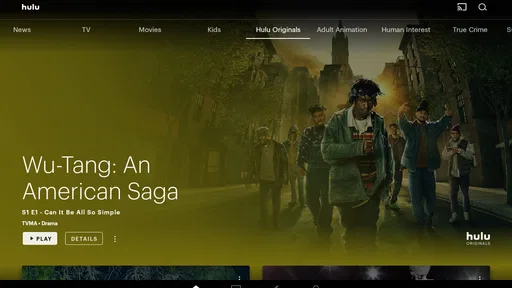
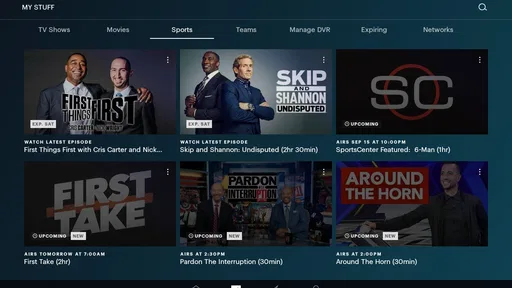
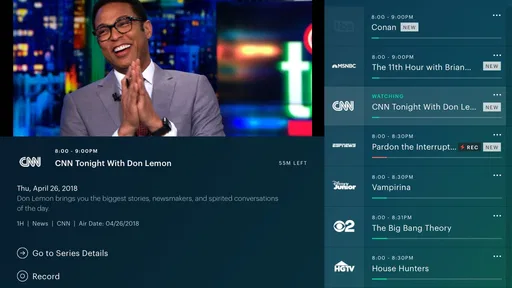
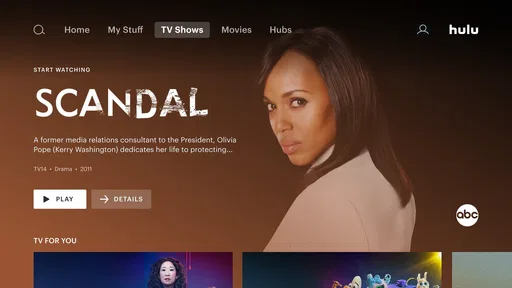
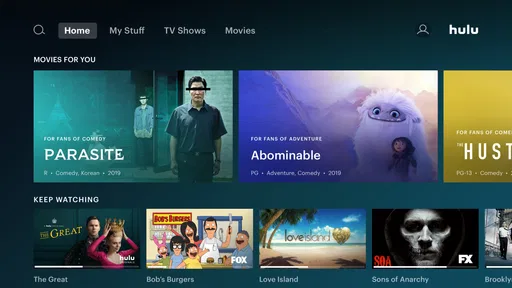
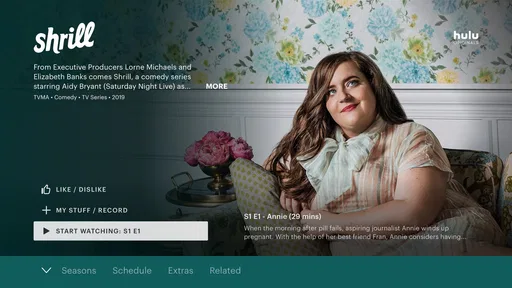
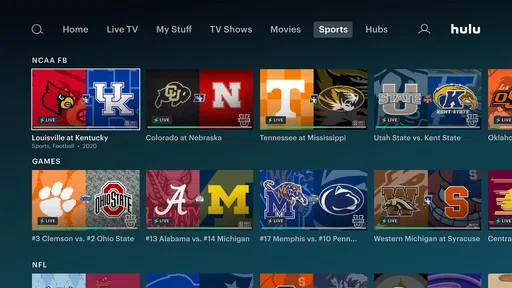
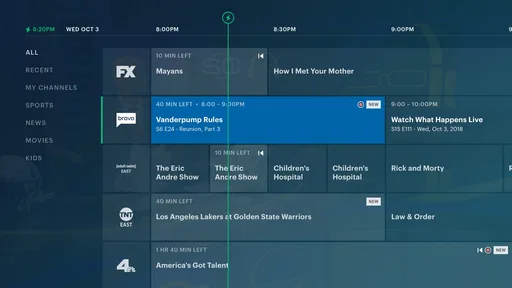
Our Review of Hulu for Android TV
 Analysis by Appyee
I approach Hulu on Android TV as a living-room viewing app rather than a complete guide to everything available in television. Its appeal is being able to browse shows and films from the couch, save things I may want to watch, and return to a series without having to manage a separate collection of discs or files. That simple routine is where it makes the most sense: pick a program, settle in, and let the TV do the work.
There is a useful distinction between the app and the service behind it. Hulu is a free download from Disney, but watching the entertainment it offers is tied to choosing a subscription that suits you. I would not treat the word “free” as meaning that the full viewing experience comes without an ongoing plan. Before making it the household’s default app, I’d check the current options and make sure its shows are what you actually want to watch.
Where the TV version fits today
Hulu is an entertainment app with a long history on mobile platforms, and its Android TV edition is built for a larger screen and remote control. The app first arrived on October 24, 2014; the current version is identified as C59F39CFP3.10.33 and supports Android 4.4 or later. That tells me this is a mature product with a specific TV-focused history, not a newly launched experiment. It does not, by itself, tell me that every screen or feature has changed recently, so I judge it by the viewing experience rather than by version numbering.
The app has a 1.9 average from around 8,600 ratings, alongside roughly 2,800 written reviews, while its install count is over 10 million. Those figures suggest a large audience but also a noticeably divided reception. I would take that as a reason to pay attention to how the app behaves on your own television and network, rather than assuming that popularity guarantees a smooth experience for everyone. It is rated Teen, so households with younger viewers should also consider whether the service and its available programming fit their family’s preferences.
Finding something without turning the evening into a search
On a TV, browsing is a different task from tapping around on a phone. You are moving a focus highlight with a remote, and every unnecessary trip across the screen can make choosing a show feel slower. Hulu’s home layout is at its best when it helps me move from a suggestion to a specific title without much effort. Personal recommendations can be useful when I already watch enough for the app to learn my tastes, but I would not rely on the home screen alone if I have a particular show in mind.
A practical habit is to search for a title first when I know what I want, then use the saved area for programs I plan to watch later. That separates decision-making from viewing: I can collect a few possibilities when I have time and avoid a long browse when everyone is ready to sit down. The trade-off is that recommendations and saved titles are only helpful if I keep the list reasonably tidy. If I save every passing suggestion, the section becomes another catalog to sift through rather than a shortcut.
What its catalog means in everyday use
The draw is a mixture of television, films, and Hulu Originals, but the right way to think about that mix is by the particular titles you want, not by assuming any one streaming library is comprehensive. If I’m following a series associated with Hulu, having the service on the television can make it an easy choice for a weeknight episode. If my household mostly watches films or programs from other services, Hulu may work better as a second destination than as the single app we open every time.
For a realistic evening, imagine I have half an hour before bed and want to continue a show. I can open the app, look for the series I saved, and spend less time deciding than I would by starting from a broad search across several services. On another night, if friends are over and nobody agrees on a title, the same interface may not solve the problem: browsing a large collection with a remote is still browsing, and personalized picks may reflect my habits more than the group’s mood. I’d keep a couple of known options in mind instead of expecting recommendations to make the choice for everyone.
How it compares with other ways to watch
Compared with a general streaming app that emphasizes films, Hulu is most compelling when its television selection and Originals match what I follow. Compared with live television, on-demand viewing gives me more control over when I start a program, while a live-TV package is aimed at people who want channels and events as they happen. Those are different jobs, so I would not choose a live bundle just because it carries more kinds of content if I mainly want a few on-demand series.
There is also the choice of watching through a TV’s built-in apps or a separate streaming device. If Hulu is already available on the Android TV set I use, installing it there keeps the setup straightforward and avoids switching inputs just to open one service. If the television is sluggish, difficult to navigate, or no longer a comfortable place to use apps, a separate device may be a better overall solution. The service itself cannot remove friction caused by a remote, a slow home screen, or an unreliable connection.
Small choices that make the experience easier
One useful way to approach the app is to treat search, saved titles, and recommendations as three different tools. Search is for a known title; saved items are for plans; recommendations are for browsing when I’m open to surprises. Keeping those jobs separate reduces aimless scrolling and makes it easier to tell whether Hulu has enough relevant programming for me. It also gives a fairer test of the service than judging it after a single random browse.
If several people share the television, I would be deliberate about what gets saved and about who is choosing. A shared list can be convenient when everyone agrees on a show, but it can also mix very different tastes and make the recommendations less useful for any one viewer. For a household that takes turns, a quick search for the person’s chosen title may be more dependable than trying to make the home screen serve every taste at once.
I would also test the viewing setup at the time and place I expect to use it. A stable connection matters more than a promise of impressive picture quality, and a show that plays well in one room may be less reliable over a weaker wireless connection elsewhere. If playback stutters, I would first compare another title or another streaming app on the same TV before deciding the Hulu app is the sole cause. That simple check helps distinguish a service-specific problem from a home network or device issue.
What I would check before subscribing
Because the download itself is free but access to viewing plans is a separate decision, I’d start with the shows I actually intend to watch and compare the current subscription choices before committing. The right plan depends on whether ads are acceptable and whether live channels matter to me; those preferences can change the value calculation more than the app interface does. If I only want a single series, I’d consider whether I will use the service enough beyond that one title to justify keeping it.
I would be cautious about assuming that every plan includes the same experience or that every show is available in the same way. Subscription offerings and catalogs can change, so I’d read the plan details shown when signing up rather than relying on an old recommendation from a friend. If the main attraction is live sports or news, confirm that the relevant channels and events suit your needs before treating a live-TV option as a cable replacement.
Hulu is a strong fit for viewers who already know they want its television catalog, enjoy watching on a big screen, and value being able to collect a few shows for later. It is less persuasive for someone who expects the app itself to be free for ongoing viewing, wants one service to cover every taste, or has little interest in its particular programming. The average rating is low enough that I would not dismiss reports of frustration, but ratings alone cannot tell me whether the problem is relevant to my own TV, account, or connection.
Getting Started with Hulu on Your TV
First things first, installing Hulu for Android TV is a breeze. Head over to the Google Play Store on your Android TV, search for Hulu, and with a few clicks, you're ready to dive into a sea of shows and movies. The interface is clean and pretty intuitive, making it easy to navigate even if you're new to streaming apps.
Interface and User Experience
Once you're logged in, you'll notice that Hulu's layout is sleek and straightforward. The home screen is filled with recommendations based on what you like, which is a nice touch. I found that the app's personalization features are quite snappy, adapting to my viewing habits faster than I expected.
One thing I particularly enjoyed is the easy access to my favorite shows. There's a "My Stuff" section where you can save movies and series, making it a cinch to pick up where you left off. Navigating through the categories is as smooth as butter, and the search function is pretty accurate, helping me find my go-to shows in seconds.
The Content Library
Hulu is known for its vast selection of content, and the Android TV app doesn't disappoint. From the latest TV shows to timeless classics, it's all there. I was especially impressed with the mix of genres available. Whether you're into drama, comedy, or documentaries, Hulu has something to satisfy every taste.
For those who love a good binge-watching session, Hulu's got your back. New episodes of popular shows often drop quickly after airing, so you won't have to wait long. Plus, Hulu Originals are a standout, offering exclusive content you won't find anywhere else.
Streaming Quality
Now, let's talk about streaming quality. With a stable internet connection, I experienced minimal buffering, and the video quality was top-notch. Hulu supports up to 4K Ultra HD, which is perfect if you've got a compatible TV. The audio is equally impressive, making those intense action scenes and whisper-quiet dramas come alive in your living room.
One cool feature is the ability to adjust subtitles and audio settings without interrupting your viewing. It's the little things like this that enhance the overall experience.
Subscription Options
Hulu offers a variety of subscription plans to fit different needs and budgets. Whether you're looking for an ad-free experience or a more budget-friendly option with ads, there's a plan for you. The flexibility is great, especially if you're sharing the account with family or roommates.
For those who want to cut the cord, Hulu + Live TV is an interesting option. It combines regular streaming with live channels, letting you watch sports and news in real-time. I found this feature particularly handy for keeping up with live events without needing a cable subscription.
Final Thoughts
Wrapping up my experience with Hulu for Android TV, I'd say it's a solid choice for anyone looking to enhance their home entertainment setup. The app's user-friendly interface, extensive content library, and high streaming quality make it worth checking out.
Whether you're a casual viewer or a die-hard TV fan, Hulu has something to offer. So, why not give it a try? You might just find your next favorite show. Happy streaming!
Verdict
Strengths of Hulu for Android TV
- User-friendly interface for easy navigation.
- Wide variety of current and classic shows.
- Seamless integration with smart TVs.
- Customizable profiles for personalized viewing.
- High-quality streaming with minimal buffering.
Limitations of Hulu for Android TV
- Limited offline viewing options.
- Ads present in lower-tier plans.
- Not all content available in 4K.
- Occasional app crashes reported.
- Geo-restrictions on some content.
Other Releases by Disney
View All
Disney+
Entertainment4.4

Hulu: Stream TV shows & movies
Entertainment4.5

ESPN
Sports4.5

My Disney Experience
Travel & Local4.5
Similar Picks in This Category
View All
Google Play Games
Google LLC3.9

Netflix
Netflix, Inc.4.8

YouTube Kids
Google LLC4.2
Disney+
Disney4.4

Prime Video
Amazon Mobile LLC4.7

Steam
Valve Corporation3.2
Frequently Asked Questions
What is Hulu for Android TV and how does it work?
Hulu for Android TV is a streaming app that allows users to watch a wide range of TV shows, movies, and live television. It offers both on-demand and live content, catering to different viewing preferences. Users need a Hulu subscription to access its content library, which can be streamed directly on Android TV.
Can I watch live TV on Hulu for Android TV?
Yes, Hulu for Android TV offers a Live TV feature, allowing users to watch live broadcasts from various channels. This feature requires a Hulu + Live TV subscription, and users can access live sports, news, and entertainment channels, making it a comprehensive streaming solution on Android TV.
Is Hulu for Android TV available outside the United States?
Hulu for Android TV is primarily available in the United States. Users outside the U.S. may not be able to access the app due to regional restrictions. However, some users use VPN services to bypass these restrictions, although it is against Hulu's terms of service.
What subscription plans are available for Hulu on Android TV?
Hulu offers several subscription plans that can be accessed via Android TV. These include the basic plan with ads, the ad-free plan, and Hulu + Live TV. Each plan offers different features and price points, allowing users to choose based on their viewing preferences and budget.
How do I troubleshoot streaming issues on Hulu for Android TV?
If you experience streaming issues on Hulu for Android TV, try restarting your device, checking your internet connection, and ensuring the app is updated. Clearing the app cache or reinstalling Hulu can also resolve issues. Persistent problems may require contacting Hulu support for further assistance.
